What Makes Moltbot So Exciting
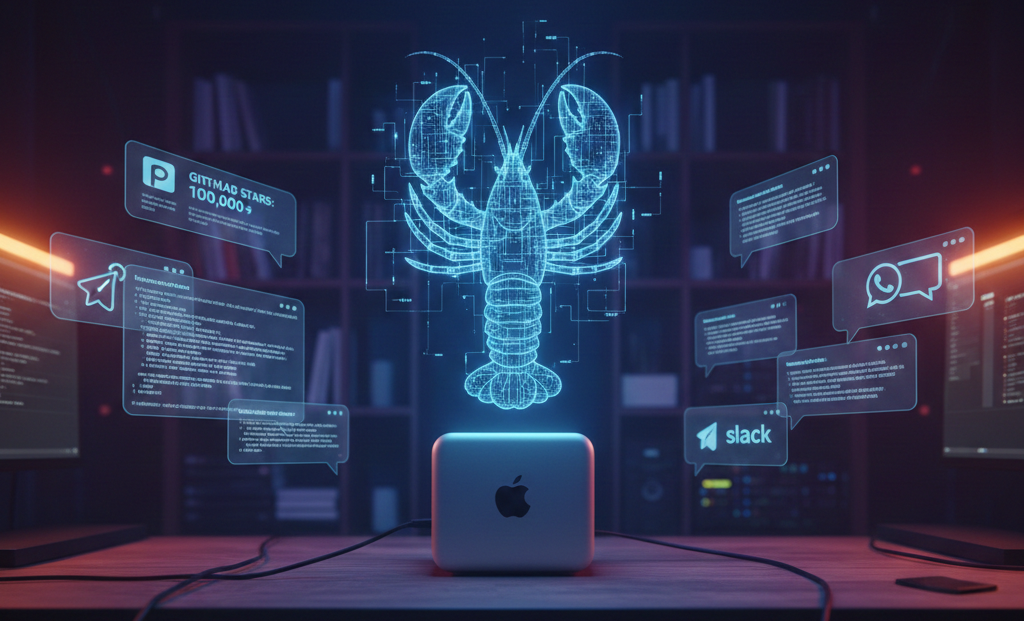
🦞 A lobster just broke enterprise software.
If you’ve been anywhere near tech Twitter this week, you’ve seen it: developers buying Mac Minis to run their personal AI assistants. Cloudflare stock surging 14% on “AI agent buzz.” A three-week-old open-source project hitting 100,000 GitHub stars.
The project is Moltbot (formerly Clawdbot until Anthropic’s lawyers got involved). Whether you’re ready to install it or just trying to understand the hype, here’s everything you need to know.
What Is Moltbot?
Imagine Siri actually understood everything, remembered what you told it last week, pinged you first when something mattered, and carried out real work instead of just talking about it.
That’s the promise behind Moltbot: an open-source, messaging-first AI assistant that connects to your chat apps (WhatsApp, Telegram, iMessage, Slack, Discord), remembers context over time, sends proactive nudges, and triggers automations on the machine where it runs.
Think of it as a personal AI gateway you talk to through messaging. You text it like you’d text a colleague. It replies in the same thread. Your phone, laptop, and tablet stay in sync because the conversation lives in the messaging layer. Instead of having to install yet another app, Moltbot lives in apps you already use.
Under the hood, Moltbot runs as a background service on a machine you control (your computer or a small cloud server). That service connects to your chat providers and routes messages to whichever AI model you choose (Claude, GPT, local models), then sends responses back to the same chat. If you enable tools, it can also trigger actions: fetch data, generate summaries, run routines, automate repetitive work.
The tagline is “the AI that actually does things.” Send it a WhatsApp message asking to reschedule your dentist appointment. It checks your calendar, finds availability, drafts an email, sends it. Ask via Telegram to unsubscribe from newsletters cluttering your inbox. Done. Tell it through Discord to run tests on your codebase and fix any failures. It does that too, opening PRs when it’s finished.
The “agent” part is key: because Moltbot runs entirely on your computer, it keeps its settings, preferences, user memories, and other instructions as literal folders and Markdown documents on your machine. Think Obsidian for AI assistants. Everything runs locally, on-device, and can be directly controlled and infinitely tweaked by you, either manually, or by asking Moltbot to change a specific aspect of itself to suit your needs.
Who Built It and Why
Peter Steinberger is an Austrian developer best known for founding PSPDFKit, a document SDK company. After stepping away from that project, he described feeling empty and barely touching his computer for three years.
What brought him back was Claude. Steinberger became, by his own admission, a “Claudoholic,” fascinated by what human-AI collaboration could become. He built Clawd (now Molty) as a personal assistant to manage his digital life, then open-sourced it in early January 2026.
Three weeks later: 101,000 stars, 14,000 forks, 8,300 commits, and a 9,000-member Discord community. The project moved markets when Cloudflare surged on speculation that developers were using its infrastructure to host Moltbot instances.
Why People Are Losing Their Minds
Three reasons:
Persistent memory. The assistant improves as it learns your preferences, recurring tasks, and ongoing projects. Not just one session. Weeks of context. Moltbot auto-generates daily notes in Markdown to keep a plain text log of interactions.
Proactivity. It can notify you first instead of waiting for you to ask. Wake up to a message summarizing your day: key meetings, deadlines, urgent emails.
Self-improvement. This is the mind-bending part. Because Moltbot runs on your computer with shell access, it can write scripts on the fly, install skills to gain new capabilities, and set up MCP servers to give itself new integrations. You can just ask it to become smarter, and it will.
Federico Viticci of MacStories described burning through 180 million tokens on the Anthropic API in a week of tinkering. He replaced Zapier automations with local cron jobs: five minutes of back-and-forth, no cloud dependency, no subscription. He set up voice integration so he could dictate requests in Italian, English, or a mix of both, with audio replies generated via ElevenLabs. He asked, it researched the documentation, requested credentials, and minutes later had a working voice assistant in Telegram that Siri still can’t match.
His verdict: “the closest I’ve felt to a higher degree of digital intelligence in a while” and “the ultimate expression of a new generation of malleable software.”
Other testimonials read similarly. Dave Morin, Facebook veteran: “This is the first time I have felt like I am living in the future since the launch of ChatGPT.” One developer runs Claude Code sessions from his phone while walking his dog, with Moltbot autonomously opening PRs for bugs. Another said it’s “running my company.” A third built a complete website while putting their baby to sleep, all through WhatsApp.
The pattern is the collapse of distance between intent and action. You don’t open an app, navigate a UI, configure settings, execute. You message your assistant and it happens.
The Mac Mini Myth
You’ve probably seen it: photos of stacked Mac Minis, “home lab” setups, the vibe that you need a mini data center. In reality, for many Moltbot use cases you don’t need any of that.
What you actually need:
- A place to run the gateway: your computer, a spare machine, or a small VPS
- Node.js (the common runtime)
- An AI model: subscription or API key
- Messaging connections to the apps you want to use
A $5/month VPS can be enough because the heavy computation happens on the AI provider’s side. Your server’s job is mostly routing messages, running small scripts, and calling APIs.
Hardware becomes relevant if you want to run local models, do heavier automation, or keep everything self-hosted end-to-end. But “buy a Mac Mini because everyone else is” is usually social proof, not technical requirement.
Practical rule: if your Moltbot is mainly “chat + summaries + API calls,” your infrastructure can be simple. If you want “local LLMs + large workloads + always-on automations,” then hardware makes sense.
What You Can Actually Do With It
The best way to understand Moltbot is through workflows that feel like “a person helping you,” not “a bot generating text.”
Daily briefings. You wake up to a message summarizing your day. The magic isn’t the summary; it’s that it shows up without you asking.
Email triage. Unsubscribe, categorize newsletters, highlight priority threads, draft responses. Less context switching, fewer tabs.
Research threads. Instead of losing research across browser tabs and random notes, keep one conversation: “Find the best options,” “compare them,” “summarize trade-offs,” “remind me next week.”
Scheduled automations. “Every Friday at 5pm, send me a recap of what I shipped this week.” Set once, benefits forever.
Computer and browser actions. Fill forms, navigate sites, generate files, organize folders, create issues. This is where it becomes an operator.
What It Connects To
One reason Moltbot feels “alive” is breadth. A snapshot:
Chat providers: WhatsApp, Telegram, Discord, Slack, Signal, iMessage, Microsoft Teams, Matrix, WeChat, Zalo
AI models: Claude, GPT, Gemini, Grok, Mistral, DeepSeek, Perplexity, local models via Ollama/MLX
Productivity: Apple Notes, Apple Reminders, Things 3, Notion, Obsidian, Bear Notes, Trello, GitHub
Smart home: Philips Hue, Govee, Home Assistant
Tools: Browser control, Gmail, cron jobs, webhooks, image generation, voice
The more it connects to your real inputs (messages, tasks, calendar, mail), the more it behaves like an assistant instead of a text generator.
The Rebrand Drama
Steinberger originally named his project “Clawdbot” as a playful reference to Anthropic’s Claude. Anthropic’s legal team forced a rebrand.
The timing couldn’t have been worse. During the 10-second window when Steinberger changed the GitHub username, crypto scammers snatched the old handle and created fake cryptocurrency projects in his name. He warned followers that “any project that lists him as coin owner is a SCAM.”
The lobster theme remains. “Moltbot” references molting, the process by which crustaceans shed their shells to grow. Fitting for an AI assistant that can literally rewrite its own capabilities.
The Security Concerns Are Real
Here’s where enthusiasm needs to meet reality. An AI assistant that can “actually do things” means an AI assistant that can execute arbitrary commands on your computer. As entrepreneur Rahul Sood pointed out: “‘actually doing things’ means ‘can execute arbitrary commands on your computer.’”
Security researchers have been sounding alarms:
Exposed instances. Jamieson O’Reilly of Dvuln found hundreds of Moltbot instances exposed to the public internet, some with no authentication. The attack surface includes months of private messages, API keys, account credentials.
Plaintext secrets. Hudson Rock’s analysis revealed credentials stored in plaintext files on the local filesystem. If the host machine gets compromised by infostealer malware (Redline, Lumma, Vidar), everything Moltbot knows becomes exfiltrate-able.
Supply chain risks. The ClawdHub skills marketplace has no moderation. O’Reilly demonstrated this by uploading a skill, artificially inflating its download count to 4,000+, and watching developers from seven countries download the package. His payload was benign. A malicious actor’s wouldn’t be.
Prompt injection. A malicious actor could send you a WhatsApp message crafted to manipulate Moltbot into taking unintended actions without your knowledge. Your AI assistant becomes an attack surface.
Heather Adkins, VP of security engineering at Google Cloud, put it bluntly: “Don’t run Clawdbot.”
Should You Use It Now or Wait?
Try it if:
- You want an assistant that remembers context across weeks, not just one session
- You’re tired of copy/paste workflows between AI chat and real tools
- You like proactive notifications (briefings, alerts, reminders)
- You’re okay running a terminal command and following a setup wizard
Wait if:
- You need a polished, enterprise-supported product today
- You don’t want to touch any setup steps
- You require formal guarantees, compliance paperwork, vendor SLAs
Running Moltbot safely right now means running it on a separate computer with throwaway accounts, which defeats the purpose. The security-versus-utility tradeoff may require solutions beyond any single developer’s control: model providers building better prompt injection resistance, operating systems with agent-aware permission models, industry standards for AI assistant sandboxing.
If you’ve never heard of a VPS, the answer is probably not yet.
What This Means for Enterprise Software
The project demonstrates that the gap between scrappy open-source tools and enterprise automation is narrower than most vendors want to admit. A single developer built what amounts to a personal operating system for AI in a few months: multi-channel communication, persistent memory, tool orchestration, browser automation, extensible skills.
For enterprise software vendors, Moltbot is a preview of user expectations. People will increasingly expect to configure and operate software through conversation. They’ll expect agents to remember context across sessions. They’ll expect their tools to orchestrate workflows across multiple systems without manual intervention.
The vendors who expose clean APIs, CLI tools, and eventually agent protocols like MCP will be the ones these assistants can work with. The vendors who remain GUI-only will find themselves increasingly irrelevant to agentic workflows.
Moltbot users are already configuring complex systems through natural language. One asked their assistant to build a flight search CLI; it did. Another had it create Todoist integrations, all within a Telegram chat. This is the “vibe config” pattern that’s going to reshape how software gets administered.
The implications go beyond enterprise. Viticci raised a harder question: when any automation you want is just a text message away, what happens to utility apps? What happens to Shortcuts when automation is a conversation?
It’s no wonder every major AI company launch these days is about virtual filesystem sandboxes or CLI access. This is what happens when you give agents shell access: they can just build things.
The Bottom Line
Moltbot isn’t ready for mainstream adoption. The security model requires expertise most users don’t have, the project is weeks old, and the rebrand chaos showed how fragile fast-growing open-source projects can be.
But it proved something important: personal AI assistants that can see, remember, and act are compelling enough that developers will tolerate significant friction to use them.
Apple’s Siri has been a punchline for years. Google Assistant feels abandoned. Microsoft’s Copilot is enterprise-focused. OpenAI and Anthropic build chat interfaces, not autonomous assistants. Into this gap stepped a lobster-themed project that lets you message an AI from WhatsApp and have it actually do things.
The smarter move for now: keep it simple. One install, one chat provider, one model. Expand only when the assistant earns it.
Whether Moltbot itself becomes the standard or simply proves the concept, the direction is clear. The future of software isn’t clicking through menus. It’s telling an agent what you need and having it happen.
There’s no going back after wielding this kind of superpower. 🦞
Key links: